
R211x-HP Flexfabric 11900 IRF Command Reference

24
Predefined user roles
network-admin
mdc-admin
Usage guidelines
You cannot use BFD MAD with LACP MAD.
BFD MAD uses the BFD protocol for detecting multi-active collisions, and can work with or without
intermediate devices.
When you configure BFD MAD, follow these guidelines:
Cate
g
or
y
Restrictions and
g
uidelines
BFD MAD VLAN
• Do not enable BFD MAD on VLAN-interface 1.
• If you are using an intermediate device, assign the ports of BFD MAD links to
the BFD MAD VLAN on the device.
• The IRF fabrics in a network must use different BFD MAD VLANs.
BFD MAD VLAN and feature
compatibility
• Do not use the BFD MAD VLAN for any purpose other than configuring BFD
MAD. Layer 2 or Layer 3 features, including ARP and LACP, cannot work on
the BFD MAD-enabled VLAN interface or any port in the VLAN. If you
configure any other feature on the VLAN, neither the configured feature nor
the BFD MAD function will work correctly.
• Disable the spanning tree feature on any Layer 2 Ethernet ports in the BFD
MAD VLAN. The MAD function is mutually exclusive with the spanning tree
feature.
• Do not bind a BFD MAD-enabled VLAN interface to any VPN instance. The
MAD function is mutually exclusive with VPN.
MAD IP address
• To avoid problems, only use the mad ip address command to configure IP
addresses on the BFD MAD-enabled VLAN interface. Do not configure an IP
address with the ip address command or configure a VRRP virtual address on
the BFD MAD-enabled VLAN interface.
• All MAD IP addresses on the BFD MAD-enabled VLAN interface must be on
the same subnet.
• The MAD IP addresses must not be the same as any IP addresses assigned to
interfaces or VRRP groups in the IRF fabric.
Examples
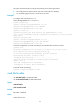
# Enable BFD MAD on VLAN-interface 3.
<Sysname> system-view
[Sysname] interface vlan-interface 3
[Sysname-Vlan-interface3] mad bfd enable
mad enable
Use mad enable to enable LACP MAD.
Use undo mad enable to disable LACP MAD.
Syntax
mad enable
undo mad enable