
R211x-HP Flexfabric 11900 IRF Command Reference

4
mdc-operator
Examples
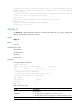
# In standalone mode, display the basic IRF settings of the device.
<Sysname> display irf configuration
MemberID Priority IRF-Port1 IRF-Port2
-- 1 disable disable
# In IRF mode, display all members' basic IRF settings.
<Sysname> display irf configuration
MemberID NewID IRF-Port1 IRF-Port2
1 1 Ten-GigabitEthernet1/8/0/1 disable
Ten-GigabitEthernet1/8/0/2
2 2 disable Ten-GigabitEthernet2/8/0/1
Ten-GigabitEthernet2/8/0/2
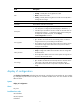
Table 2 Command output
Field Descri
p
tion
MemberID
Current member ID of the device.
If no member ID is assigned, this field displays two hyphens (--).
Priority
Member priority.
This field is displayed only when the device is operating in standalone mode.
NewID
Member ID assigned to the device. This member ID takes effect at reboot.
This field is displayed only when the device is operating in IRF mode.
IRF-Port1
Physical ports bound to IRF-port 1. The bindings take effect at reboot.
If this IRF port is not enabled, this field displays disable.
IRF-Port2
Physical ports bound to IRF-port 2. The bindings take effect at reboot.
If this IRF port is not enabled, this field displays disable.
display irf link
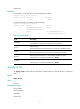
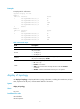
Use display irf link to display IRF link information, including IRF ports, physical IRF ports, and IRF link
status.
Syntax
display irf link
Views
Any view
Predefined user roles
network-admin
network-operator
mdc-admin
mdc-operator