
R211x-HP Flexfabric 11900 Layer 2 - LAN Switching Command Reference


133
Use undo stp compliance to restore the default.
Syntax
stp compliance { auto | dot1s | legacy }
undo stp compliance
Default
A port automatically recognizes the formats of received MSTP packets and determines the formats of
MSTP packets to be sent based on the recognized formats.
Views
Layer 2 Ethernet interface view, Layer 2 aggregate interface view
Predefined user roles
network-admin
mdc-admin
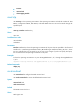
Parameters
auto: Configures the port to recognize the MSTP BPDU format automatically and determine the format of
MSTP BPDUs to send.
dot1s: Configures the port to receive and send only standard-format (802.1s-compliant) MSTP BPDUs.
legacy: Configures the port to receive and send only compatible-format MSTP BPDUs.
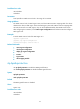
Usage guidelines
When the setting is configured in Layer 2 Ethernet interface view, it takes effect on only that interface.
When the setting is configured in Layer 2 aggregate interface view, it takes effect on only the aggregate
interface.
When the setting is configured on a member port in an aggregation group, it takes effect only after the
port leaves the aggregation group.
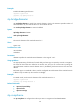
Examples
# Configure Ten-GigabitEthernet 1/0/1 to send only standard-format (802.1s) MSTP packets.
<Sysname> system-view
[Sysname] interface ten-gigabitethernet 1/0/1
[Sysname-Ten-GigabitEthernet1/0/1] stp compliance dot1s
stp config-digest-snooping
Use stp config-digest-snooping to enable digest snooping.
Use undo stp config-digest-snooping to disable digest snooping.
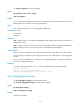
Syntax
stp config-digest-snooping
undo stp config-digest-snooping
Default
The feature is disabled.