
R211x-HP Flexfabric 11900 Layer 2 - LAN Switching Command Reference
140
Predefined user roles
network-admin
mdc-admin
Usage guidelines
On a port, the loop guard function is mutually exclusive with the root guard function or the edge port
setting.
When the setting is configured in Layer 2 Ethernet interface view, it takes effect on only that interface.
When the setting is configured in Layer 2 aggregate interface view, it takes effect on only the aggregate
interface.
When the setting is configured on a member port in an aggregation group, it takes effect only after the
port leaves the aggregation group.
Examples
# Enable the loop guard function on Ten-GigabitEthernet 1/0/1.
<Sysname> system-view
[Sysname] interface ten-gigabitethernet 1/0/1
[Sysname-Ten-GigabitEthernet1/0/1] stp loop-protection
Related commands
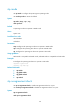
• stp edged-port
• stp root-protection
stp max-hops
Use stp max-hops to set the maximum number of hops for an MST region.
Use undo stp max-hops to restore the default.
Syntax
stp max-hops hops
undo stp max-hops
Default
The maximum number of hops for an MST region is 20.
Views
System view
Predefined user roles
network-admin
mdc-admin
Parameters
hops: Sets the maximum hops in the range of 1 to 40.
Examples
# Set the maximum hops of the MST region to 35.
<Sysname> system-view