
R211x-HP Flexfabric 11900 Layer 2 - LAN Switching Command Reference



159
Loop detection commands
display loopback-detection
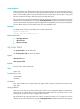
Use display loopback-detection to display the loop detection configuration and status.
Syntax
display loopback-detection
Views
Any view
Predefined user roles
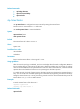
network-admin
network-operator
mdc-admin
mdc-operator
Example
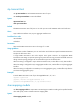
# Display the loop detection configuration and status.
<Sysname> display loopback-detection
Loopback detection is enabled.
Loopback detection interval is 30 second(s).
Loopback is detected on following interfaces:
Interface Action mode
Ten-GigabitEthernet1/0/1 Block
Ten-GigabitEthernet1/0/2 Shutdown
Ten-GigabitEthernet1/0/3 None
Ten-GigabitEthernet1/0/4 No-learning
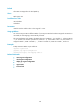
Table 37 Command output
Field Description
Action mode
Loop protection action:
• Block—When a loop is detected on a port, the device generates a log,
disables the port from learning MAC addresses, and blocks inbound traffic on
the port.
• None—When a loop is detected on a port, the device generates a log but
performs no action on the port.
• No-learning—When a loop is detected on a port, the device generates a log
and disables the port from learning MAC addresses.
• Shutdown—When a loop is detected on a port, the device generates a log and
shuts down the port to disable it from receiving and sending any frames.