
R211x-HP Flexfabric 11900 Layer 2 - LAN Switching Command Reference
178
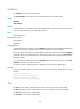
mdc-admin
Parameters
vlan-id: Specifies a VLAN ID in the range of 1 to 4094. Make sure the VLAN specified by the VLAN ID
already exists.
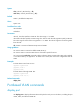
Usage guidelines
Before assigning an access port to a VLAN, make sure the VLAN has been created.
• The configuration made in Layer 2 Ethernet interface view applies only to the port.
• The configuration made in Layer 2 aggregate interface view applies to the aggregate interface and
its aggregation member ports.
{ If the system fails to apply the configuration to the aggregate interface, it stops applying the
configuration to aggregation member ports.
{ If the system fails to apply the configuration to an aggregation member port, it skips the port
and moves to the next member port.
• The configuration made in S-channel interface view or S-channel aggregate interface view applies
only to the interface. For information about S-channel interfaces, see EVB Configuration Guide.
Examples
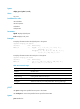
# Assign Ten-GigabitEthernet 1/0/1 to VLAN 3.
<Sysname> system-view
[Sysname] vlan 3
[Sysname-vlan3] quit
[Sysname] interface ten-gigabitethernet 1/0/1
[Sysname-Ten-GigabitEthernet1/0/1] port access vlan 3
port hybrid pvid
Use port hybrid pvid to configure the PVID of the hybrid port.
Use undo port hybrid pvid to restore the default.
Syntax
port hybrid pvid vlan vlan-id
undo port hybrid pvid
Default
The PVID of a hybrid port is VLAN 1.
Views
Layer 2 Ethernet interface view, Layer 2 aggregate interface view, S-channel interface view, S-channel
aggregate interface view
Predefined user roles
network-admin
mdc-admin
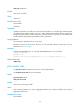
Parameters
vlan-id: Specifies a VLAN ID in the range of 1 to 4094.