
R211x-HP Flexfabric 11900 Layer 2 - LAN Switching Command Reference


184
Private VLAN commands
display private-vlan
Use display private-vlan to display the associations between a primary VLAN and secondary VLANs
and information about the primary VLAN and secondary VLANs.
Syntax
display private-vlan [ primary-vlan-id ]
Views
Any view
Predefined user roles
network-admin
network-operator
mdc-admin
mdc-operator
Parameters
primary-vlan-id: Specifies a primary VLAN ID in the range of 1 to 4094. If no primary VLAN ID is
specified, the command displays all primary VLANs and the secondary VLANs associated with each
primary VLAN.
Examples
# Display information about primary VLANs and the secondary VLANs associated with each primary
VLAN.
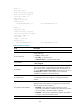
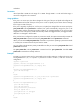
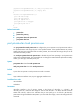
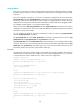
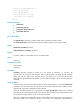
<Sysname> display private-vlan
Primary VLAN ID: 2
Secondary VLAN ID: 3-4
VLAN ID: 2
VLAN type: Static
Private VLAN type: Primary
Route interface: Configured
IPv4 address: 1.1.1.1
IPv4 subnet mask: 255.255.255.0
IPv6 global unicast addresses:
2001::1, subnet is 2001::/64 [TENTATIVE]
Description: VLAN 0002
Name: VLAN 0002
Tagged ports: None
Untagged ports:
Ten-GigabitEthernet1/0/2 Ten-GigabitEthernet1/0/3
Ten-GigabitEthernet1/0/4