
R211x-HP Flexfabric 11900 Layer 2 - LAN Switching Command Reference
236
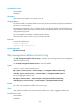
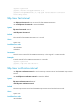
Use undo lldp mode to restore the default.
Syntax
lldp mode service-bridge
undo lldp mode
Default
LLDP operates in customer bridge mode.
Views
System view
Predefined user roles
network-admin
mdc-admin
Parameters
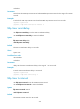
service-bridge: Specifies the service bridge mode.
Usage guidelines
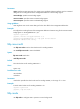
You can use this command to control the LLDP agent types supported by the device:
• In service bridge mode, LLDP supports nearest bridge agents and nearest non-TPMR bridge agents.
LLDP processes the LLDPDUs with destination MAC addresses for these agents and transparently
transmits the LLDPDUs with other destination MAC addresses in the VLAN.
• In customer bridge mode, LLDP supports nearest bridge agents, nearest non-TPMR bridge agents,
and nearest customer bridge agents. LLDP processes the LLDPDUs with destination MAC addresses
for these agents and transparently transmits the LLDPDUs with other destination MAC addresses in
the VLAN.
The bridge mode configuration takes effect only when LLDP is enabled globally. If LLDP is disabled
globally, LLDP can only operate in customer bridge mode and process the LLDPDUs with destination
MAC addresses for the three supported agent types.
Examples
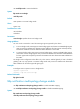
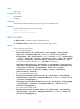
# Configure LLDP to operate in service bridge mode.
<Sysname> system-view
[Sysname] lldp mode service-bridge
Related commands
lldp global enable
lldp notification med-topology-change enable
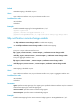
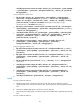
Use lldp notification med-topology-change enable to enable LLDP-MED trapping.
Use undo lldp notification med-topology-change enable to disable LLDP-MED trapping.
Syntax
lldp notification med-topology-change enable
undo lldp notification med-topology-change enable