
R211x-HP Flexfabric 11900 Layer 2 - LAN Switching Command Reference


38
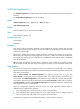
Parameters
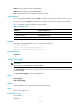
broadcast: Displays broadcast storm control settings and statistics.
multicast: Displays multicast storm control settings and statistics.
unicast: Displays unknown unicast storm control settings and statistics.
interface interface-type interface-number: Specifies an interface by its type and number.
Usage guidelines
If you specify no argument or keyword, this command displays all storm control settings on all storm
control-enabled interfaces.
Examples
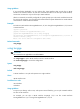
# Display the storm control settings on all storm control-enabled ports.
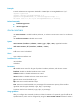
<Sysname> display storm-constrain
Abbreviation: BC - broadcast; MC - multicast; UC - unicast
FW - forwarding
Flow Statistic Interval: 5 (in seconds)
Port Type Lower Upper Unit CtrlMode Status Trap Log SwitchNum
-------------------------------------------------------------------------------------
--
XGE1/0/1 BC 12345 23456 pps block FW on off 0
XGE1/0/2 MC 43 100 ratio block block on off 1
XGE1/0/4 UC 200 300 kbps shutdown normal off on 33
XGE1/0/5 BC 500 1500 pps N/A normal on on 0
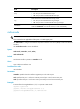
Table 11 Command output
Field Descri
p
tion
Flow Statistic Interval Traffic polling interval (in seconds) of the storm control module.
Port Abbreviated port name.
Type
Type of traffic subjected to storm control:
• BC—Broadcast packets.
• MC—Multicast packets.
• UC—Unknown unicast packets.
Lower Lower storm control threshold, in pps, kbps, or percentage.
Upper Upper storm control threshold, in pps, kbps, or percentage.
Unit
Storm control threshold unit:
• pps.
• kbps.
• percentage.
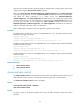
CtrlMode
Protective action (block or shutdown) taken on the port when the upper
threshold is reached. N/A indicates that no protective action is configured.
Status
Packet forwarding status:
• FW—The port is forwarding traffic correctly.
• shutdown—The port has been shut down.
• block—The port drops the type of traffic.