
R211x-HP Flexfabric 11900 Layer 2 - LAN Switching Command Reference


39
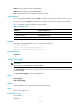
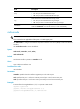
Field Descri
p
tion
Trap
Status of the storm control threshold event trap switch:
• on—The port sends threshold event traps.
• off—The port does not send threshold event traps.
Log
Status of the storm control threshold event log switch:
• on—The port sends threshold event log messages.
• off—The port does not send threshold event log messages.
SwitchNum
Number of forwarding state changes of the interface.
When the SwitchNum count reaches 65535, it resets automatically.
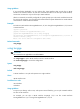
mdix-mode
IMPORTANT:
This command is not applicable to fiber ports or 10-GE copper ports.
Use mdix-mode to configure the Medium Dependent Interface Cross-Over (MDIX) mode of an Ethernet
interface.
Use undo mdix-mode to restore the default.
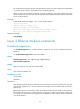
Syntax
mdix-mode { automdix | mdi | mdix }
undo mdix-mode
Default
An Ethernet interface operates in automdix mode.
Views
Layer 2 Ethernet interface view
Predefined user roles
network-admin
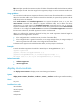
Parameters
automdix: Specifies that the interface negotiates pin roles with its peer.
mdi: Specifies that pins 1 and 2 are transmit pins and pins 3 and 6 are receive pins.
mdix: Specifies that pins 1 and 2 are receive pins and pins 3 and 6 are transmit pins.
Examples
# Set interface Ten-GigabitEthernet 1/0/1 to operate in MDI mode.
<Sysname> system-view
[Sysname] interface ten-gigabitethernet 1/0/1
[Sysname-Ten-GigabitEthernet1/0/1] mdix-mode mdi