
R211x-HP Flexfabric 11900 Layer 2 - LAN Switching Command Reference

43
Views
Layer 2 Ethernet interface view
Predefined user roles
network-admin
mdc-admin
Parameters
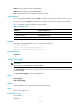
block: Blocks this type of traffic, while forwarding other types of traffic. Even though the interface does
not forward the blocked traffic, it still counts the traffic. When the blocked traffic is detected dropping
below the lower threshold, the port begins to forward the traffic.
shutdown: Shuts down automatically. The interface shuts down automatically and stops forwarding any
traffic. When the blocked traffic is detected dropping below the lower threshold, the port does not
forward the traffic. To bring up the interface, use the undo shutdown command or disable the storm
control function.
Examples
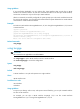
# Configure Ten-GigabitEthernet 1/0/1 to block the traffic detected crossing the upper storm control
threshold.
<Sysname> system-view
[Sysname] interface ten-gigabitethernet 1/0/1
[Sysname-Ten-GigabitEthernet1/0/1] storm-constrain control block
Related commands
• storm-constrain
• storm-constrain control
storm-constrain enable log
Use storm-constrain enable log to enable an Ethernet interface to log storm control threshold events.
Use undo storm-constrain enable log to disable log sending.
Syntax
storm-constrain enable log
undo storm-constrain enable log
Default
An interface generates logs when monitored traffic exceeds the upper threshold or falls below the lower
threshold.
Views
Layer 2 Ethernet interface view
Predefined user roles
network-admin
mdc-admin
Examples
# Enable Ten-GigabitEthernet 1/0/1 to generate logs when it detects storm control threshold events.