
R211x-HP Flexfabric 11900 Layer 2 - LAN Switching Command Reference
45
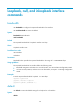
Parameters
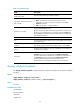
seconds: Sets the traffic polling interval of the storm control module. The value range is 1 to 300 seconds.
Usage guidelines
The interval set by the storm-constrain interval command is specific to storm control. To set the statistics
polling interval of an interface, use the flow-interval command.
For network stability, use the default or a higher polling interval.
Examples
# Set the traffic statistics polling interval of the storm control module to 60 seconds.
<Sysname> system-view
[Sysname] storm-constrain interval 60
Related commands
• storm-constrain
• storm-constrain control
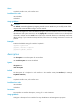
unicast-suppression
Use unicast-suppression to enable unicast storm suppression and set the unicast storm suppression
threshold.
Use undo unicast-suppression to restore the default.
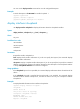
Syntax
unicast-suppression { ratio | pps max-pps | kbps max-kbps }
undo unicast-suppression
Default
Ethernet interfaces do not suppress unicast traffic.
Views
Layer 2 Ethernet interface view
Predefined user roles
network-admin
mdc-admin
Parameters
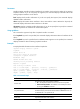
ratio: Sets the unicast suppression threshold as a percentage of the maximum interface rate. The value
range for this argument (in percentage) is 0 to 100. The smaller the percentage, the less unicast traffic is
allowed to pass through.
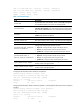
pps max-pps: Specifies the maximum number of unicast packets that the interface can forward per
second. The value range for the max-pps argument (in pps) is 0 to 1.4881 × the maximum interface rate.
For example, the value range for the argument is 0 to 1488100 on a GE interface and 0 to 59524000
on a 40-GE interface.
kbps max-kbps: Specifies the maximum number of kilobits of unicast traffic that the Ethernet interface can
forward per second. The value range for this argument (in kbps) is 0 to the maximum interface rate.