
R211x-HP Flexfabric 11900 Layer 2 - LAN Switching Configuration Guide

175
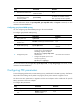
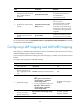
Step Command Remarks
6. (Optional.) Set the LLDP
trap transmit interval.
lldp timer notification-interval interval
The default setting is 30
seconds.
Displaying and maintaining LLDP
Execute display commands in any view.
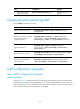
Task Command
Display local LLDP information.
display lldp local-information [ global | interface interface-type
interface-number ]
Display the information contained
in the LLDP TLVs sent from
neighboring devices.
display lldp neighbor-information [ [ [ interface interface-type
interface-number ] [ agent { nearest-bridge | nearest-customer |
nearest-nontpmr } ] [ verbose ] ] | list [ system-name system-name ] ]
Display LLDP statistics.
display lldp statistics [ global | [ interface interface-type
interface-number ] [ agent { nearest-bridge | nearest-customer |
nearest-nontpmr } ] ]
Display LLDP status of a port.
display lldp status [ interface interface-type interface-number ] [ agent
{ nearest-bridge | nearest-customer | nearest-nontpmr } ]
Display types of advertisable
optional LLDP TLVs.
display lldp tlv-config [ interface interface-type interface-number ]
[ agent { nearest-bridge | nearest-customer | nearest-nontpmr } ]
LLDP configuration examples
Basic LLDP configuration example
Network requirements
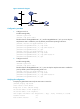
As shown in Figure 53, the NMS and Switch A are located in the same Ethernet network. An MED device
and Switch B are connected to Ten-GigabitEthernet 1/0/1 and Ten-GigabitEthernet 1/0/2 of Switch A.
Enable LLDP globally on Switch A and Switch B to monitor the link between Switch A and Switch B and
the link between Switch A and the MED device on the NMS.