
R211x-HP Flexfabric 11900 Layer 2 - LAN Switching Configuration Guide

29
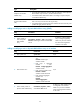
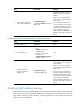
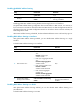
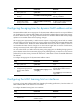
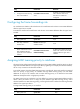
Step Command Remarks
2. Enter interface view.
• Enter Layer 2 Ethernet interface
view:
interface interface-type
interface-number
• Enter Layer 2 aggregate interface
view:
interface bridge-aggregation
interface-number
N/A
3. Assign MAC learning priority.
mac-address mac-learning priority
{ high | low }
By default, low MAC learning
priority is used.
Enabling MAC address synchronization
To avoid unnecessary floods and improve forwarding speed, make sure all cards possess the same MAC
address table. After you enable MAC address table synchronization, each card advertises learned MAC
address entries to other cards. (In standalone mode.)
To avoid unnecessary floods and improve forwarding speed, make sure all cards possess the same MAC
address table. After you enable MAC address table synchronization, each card advertises learned MAC
address entries to other cards of all member devices. (In IRF mode.)
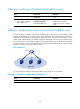
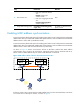
As shown in Figure 4, D
evice A and Device B form an IRF fabric enabled with MAC address
synchronization. They connect to AP C and AP D, respectively. When Client A associates with AP C,
Device A learns a MAC address entry for Client A and advertises it to Device B.
Figure 4 MAC address tables of devices when Client A accesses AP C
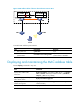
If Client A roams to AP D, Device B learns a MAC address entry for Client A and advertises it to Device
A to ensure service continuity for Client A, as shown in Figure 5.