
R211x-HP Flexfabric 11900 Layer 3 - IP Routing Command Reference

152
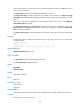
You can configure the interval that OSPF exits overflow state. An interval of 0 indicates that the timer is
not started and OSPF does not exit overflow state.
Examples
# Configure the OSPF exit overflow interval as 10 seconds.
<Sysname> system-view
[Sysname] ospf 100
[Sysname-ospf-100] lsdb-overflow-interval 10
lsa-generation-interval
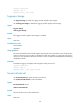
Use lsa-generation-interval to configure the OSPF LSA generation interval.
Use undo lsa-generation-interval to restore the default.
Syntax
lsa-generation-interval maximum-interval [ minimum-interval [ incremental-interval ] ]
undo lsa-generation-interval
Default
The maximum interval is 5 seconds, the minimum interval is 50 milliseconds, and the incremental interval
is 200 milliseconds.
Views
OSPF view
Predefined user roles
network-admin
mdc-admin
Parameters
maximum-interval: Specifies the maximum LSA generation interval in the range of 1 to 60 seconds.
minimum-interval: Specifies the minimum LSA generation interval in the range of 10 to 60000
milliseconds.
incremental-interval: Specifies the LSA generation incremental interval in the range of 10 to 60000
milliseconds.
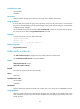
Usage guidelines
When network changes are not frequent, LSAs are generated at the minimum-interval. If network
changes become frequent, the LSA generation interval is incremented by incremental-interval × 2
n-2
(n is
the number of generation times) each time a LSA generation occurs until the maximum-interval is
reached.
The minimum interval and the incremental interval cannot be greater than the maximum interval.
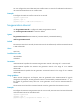
Examples
# Configure the maximum LSA generation interval as 2 seconds, minimum interval as 100 milliseconds
and incremental interval as 100 milliseconds.
<Sysname> system-view
[Sysname] ospf 100
[Sysname-ospf-100] lsa-generation-interval 2 100 100