
R211x-HP Flexfabric 11900 Layer 3 - IP Routing Command Reference

156
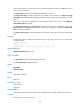
the command distributes a default route in a Type-7 LSA into the OSPF routing domain, and the routing
policy modifies some values in the Type-7 LSA.
type type: Specifies a type for the Type-7 LSA: 1 or 2. If no type is specified, the default type specified by
the default type command applies.
no-import-route: Used on an NSSA ABR to control the import-route command to not redistribute routes
into the NSSA area.
no-summary: Used only on an ABR to advertise a default route in a Type-3 summary LSA into the NSSA
area and to not advertise other summary LSAs into the area. Such an area is a totally NSSA area.
suppress-fa: Suppresses the forwarding address in the Type-7 LSAs from being placed in the Type-5
LSAs.
translate-always: Always translates Type-7 LSAs to Type-5 LSAs. This keyword takes effect only on an
NSSA ABR.
translate-never: Never translates Type-7 LSAs to Type-5 LSAs. This keyword takes effect only on an NSSA
ABR.
translator-stability-interval value: Specifies the stability interval of the translator, during which the
translator can maintain its translating capability after a device with a higher priority becomes the new
translator. The value argument is the stability interval in the range of 0 to 900 seconds and defaults to 0
(which means the translator does not maintain its translating capability when a new translator arises).
Usage guidelines
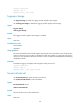
All routers attached to an NSSA area must be configured with the nssa command in area view.
Examples
# Configure Area 1 as an NSSA area.
<Sysname> system-view
[Sysname] ospf 100
[Sysname-ospf-100] area 1
[Sysname-ospf-100-area-0.0.0.1] nssa
Related commands
default-cost (OSPF view)
opaque-capability enable
Use opaque-capability enable to enable opaque LSA advertisement and reception.
Use undo opaque-capability to disable opaque LSA advertisement and reception.
Syntax
opaque-capability enable
undo opaque-capability
Default
The feature is enabled.
Views
OSPF view