
R211x-HP Flexfabric 11900 Layer 3 - IP Routing Command Reference
10
display ip routing-table prefix-list
Use display ip routing-table prefix-list to display routes permitted by an IP prefix list.
Syntax
display ip routing-table [ vpn-instance vpn-instance-name ] prefix-list prefix-list-name [ verbose ]
Views
Any view
Predefined user roles
network-admin
network-operator
mdc-admin
mdc-operator
Parameters
vpn-instance vpn-instance-name: Specifies an MPLS L3VPN instance by its name, a case-sensitive string
of 1 to 31 characters. Without this option, the command displays routing information for the public
network.
prefix-list-name: Specifies an IP prefix list by its name, a case-sensitive string of 1 to 63 characters.
verbose: Displays detailed information about all routes permitted by the IP prefix list. Without this
keyword, the command displays brief information about active routes permitted by the IP prefix list.
Usage guidelines
If the specified IP prefix list does not exist, the command displays information about all routes.
Examples
# Create an IP prefix list named test t o p e rm i t t h e ro u t e 1.1.1.0 / 24 .
<Sysname> system-view
[Sysname] ip prefix-list test permit 1.1.1.0 24
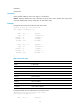
# Display brief information about the active route permitted by the IP prefix list.
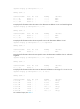
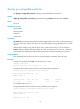
[Sysname] display ip routing-table prefix-list test
Routes Matched by Prefix list : test
Summary Count : 1
Destination/Mask Proto Pre Cost NextHop Interface
1.1.1.0/24 Direct 0 0 1.1.1.2 Vlan2
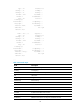
For command output, see Table 1.
# Display detailed information about all routes permitted by the IP prefix list.
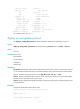
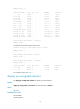
[Sysname] display ip routing-table prefix-list test verbose
Routes Matched by Prefix list : test
Summary Count : 1
Destination: 1.1.1.0/24