
R211x-HP Flexfabric 11900 Layer 3 - IP Routing Command Reference


235
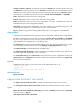
If you configure a password without specifying a level, the password applies to both Level-1 and Level-2.
If neither ip nor osi is specified, the OSI-related fields in LSPs are checked.
The level-1 and level-2 keywords are configurable on an interface that has had IS-IS enabled with the isis
enable command.
Examples
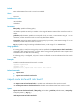
# On VLAN-interface 10, configure the authentication mode as simple, and set the plaintext password
to 123 456 .
<Sysname> system-view
[Sysname] interface vlan-interface 10
[Sysname-Vlan-interface10] isis authentication-mode simple plain 123456
Related commands
• area-authentication-mode
• domain authentication-mode
isis bfd enable
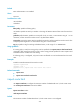
Use isis bfd enable to enable BFD.
Use undo isis bfd enable to disable BFD.
Syntax
isis bfd enable
undo isis bfd enable
Default
IS-IS BFD is disabled.
Views
Interface view
Predefined user roles
network-admin
mdc-admin
Examples
# Enable BFD for IS-IS on VLAN-interface 11.
<Sysname> system-view
[Sysname] interface vlan-interface 11
[Sysname-Vlan-interface11] isis enable
[Sysname-Vlan-interface11] isis bfd enable
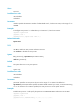
isis circuit-level
Use isis circuit-level to set the circuit level for the interface.
Use undo isis circuit-level to restore the default.