
R211x-HP Flexfabric 11900 Layer 3 - IP Routing Command Reference
239
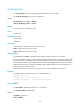
isis dis-priority
Use isis dis-priority to specify a DIS priority at a specified level for an interface.
Use undo isis dis-priority to remove the configuration.
Syntax
isis dis-priority value [ level-1 | level-2 ]
undo isis dis-priority [ level-1 | level-2 ]
Default
The priority of Level-1 and Level-2 is 64.
Views
Interface view
Predefined user roles
network-admin
mdc-admin
Parameters
value: Specifies a DIS priority in the range of 0 to 127.
level-1: Applies the DIS priority to Level-1.
level-2: Applies the DIS priority to Level-2.
Usage guidelines
If neither level-1 nor level-2 is specified, the DIS priority applies to both Level-1 and Level-2.
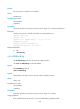
On an IS-IS broadcast network, a router must be elected as the DIS at each routing level. Specify a DIS
priority at a level for an interface. The greater the interface's priority is, the more likelihood it becomes
the DIS. If multiple routers in the broadcast network have the same highest DIS priority, the router with the
highest Subnetwork Point of Attachment (SNPA) address (SNPA addresses are MAC addresses on a
broadcast network) becomes the DIS.
IS-IS has no backup DIS. The router with a priority of 0 can also participate in DIS election.
Examples
# Configure the Level-2 DIS priority as 127 for VLAN-interface 10.
<Sysname> system-view
[Sysname] interface vlan-interface 10
[Sysname-Vlan-interface10] isis dis-priority 127 level-2
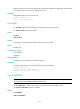
isis enable
Use isis enable to enable an IS-IS process on an interface.
Use undo isis enable to disable IS-IS.
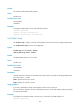
Syntax
isis enable [ process-id ]
undo isis enable