
R211x-HP Flexfabric 11900 Layer 3 - IP Routing Command Reference
349
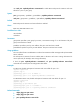
• peer enable
• peer group
peer as-number (for a BGP peer group)
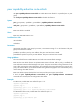
Use peer as-number to specify an AS number for a peer group.
Use undo peer as-number to delete the AS number of a peer group.
Syntax
peer group-name as-number as-number
undo peer group-name as-number
Default
No AS number is specified for a peer group.
Views
BGP view, BGP-VPN instance view
Predefined user roles
network-admin
mdc-admin
Parameters
group-name: Specifies a name for a peer group, a case-sensitive string of 1 to 47 characters. The peer
group must have been created.
as-number: Specifies an AS number for a peer group, in the range of 1 to 4294967295.
Usage guidelines
This command applies to only a peer group with no peers in it.
When you specify an AS number for a peer group and want to add peers to it, make sure the AS number
of the peers is the same as the peer group.
If you have specified no AS number for a peer group, peers added to it can use their own AS numbers.
Examples
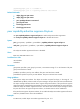
# In BGP view, specify the AS number for peer group test as 100.
<Sysname> system-view
[Sysname] bgp 100
[Sysname-bgp] peer test as-number 100
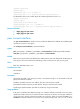
# In BGP-VPN instance view, specify the AS number for peer group test as 100.
<Sysname> system-view
[Sysname] bgp 100
[Sysname-bgp] ip vpn-instance vpn1
[Sysname-bgp-vpn1] peer test as-number 100
Related commands
peer group