
R211x-HP Flexfabric 11900 Layer 3 - IP Routing Command Reference

360
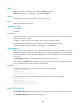
Default
BGP does not establish an EBGP session to an indirectly-connected peer or peer group.
Views
BGP view, BGP-VPN instance view
Predefined user roles
network-admin
mdc-admin
Parameters
group-name: Specifies a peer group by its name, a case-sensitive string of 1 to 47 characters. The peer
group must have been created.
ip-address: Specifies a peer by its IP address. The peer must have been created.
ipv6-address: Specifies a peer by its IPv6 address. The peer must have been created.
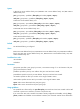
hop-count: Specifies the maximum number of hop counts, in the range of 1 to 255. The default is 64.
Usage guidelines
EBGP peers must be directly connected. If not, use the peer ebgp-max-hop command to establish an
EBGP session over multiple hops between two peers. If direct EBGP peers use loopback interfaces to
establish a BGP session, you do not need to configure the peer ebgp-max-hop command.
Examples
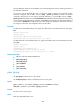
# In BGP view, enable BGP to establish EBGP sessions to an indirectly-connected EBGP peer group test,
and specify the maximum hop count as 64 (default).
<Sysname> system-view
[Sysname] bgp 100
[Sysname-bgp] peer test ebgp-max-hop
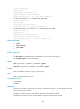
# In BGP-VPN instance view, enable BGP to establish EBGP sessions to an indirectly-connected EBGP
peer group test, and specify the maximum hop count as 64 (default).
<Sysname> system-view
[Sysname] bgp 100
[Sysname-bgp] ip vpn-instance vpn1
[Sysname-bgp-vpn1] peer test ebgp-max-hop
peer enable
Use peer enable to enable BGP to exchange routing information for an address family with a peer or
peer group.
Use undo peer enable to disable BGP from exchanging routing information for an address family with a
peer or peer group.
Syntax
In BGP IPv4 unicast address family view/BGP-VPN IPv4 unicast address family view/BGP VPNv4
address family view/BGP-VPN VPNv4 address family view/BGP VPNv6 address family view/BGP
L2VPN address family view:
peer { group-name | ip-address } enable