
R211x-HP Flexfabric 11900 Layer 3 - IP Routing Command Reference
414
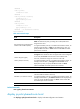
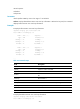
[Sysname-Vlan-interface2] ip policy-based-route aaa
Related commands
• display ip policy-based-route setup
• policy-based-route
policy-based-route
Use policy-based-route to create a policy node and enter policy node view.
Use undo policy-based-route to remove a policy or policy node.
Syntax
policy-based-route policy-name [ deny | permit ] node node-number
undo policy-based-route policy-name [ deny | node node-number | permit ]
Default
No policy node is created.
Views
System view
Predefined user roles
network-admin
mdc-admin
Parameters
policy-name: Specifies a policy by its name, a case-sensitive string of 1 to 19 characters.
deny: Specifies the match mode for the policy node as deny.
permit: Specifies the match mode for the policy node as permit (default mode).
node node-number: Specifies a policy node by its number. A smaller number has a higher priority. The
value range for the node-number argument is 0 to 255.
Usage guidelines
A policy that has been applied to an interface or locally cannot be removed. To remove it, you must first
cancel the application.
If a policy node is specified, the undo policy-based-route command removes the specified policy node;
if a match mode is specified, the command removes all nodes configured with the match mode; if no
policy node or match mode is specified, the command removes the whole policy.
Examples
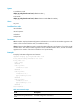
# Create permit-mode of Node 10 for policy policy1 and enter policy node view.
<Sysname> system-view
[Sysname] policy-based-route policy1 permit node 10
[Sysname-pbr-policy1-10]
Related commands
display ip policy-based-route