
R211x-HP Flexfabric 11900 Layer 3 - IP Routing Command Reference
533
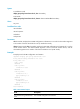
[Sysname-Vlan2] interface vlan-interface 2
[Sysname-Vlan-interface2] ipv6 policy-based-route aaa
Related commands
• display ipv6 policy-based-route setup
• ipv6 policy-based-route (system view)
ipv6 policy-based-route (system view)
Use ipv6 policy-based-route to create an IPv6 policy or policy node and enter IPv6 policy node view. If
the specified IPv6 policy node already exists, the command directly places you into IPv6 policy node
view.
Use undo ipv6 policy-based-route to remove an IPv6 policy or IPv6 policy node.
Syntax
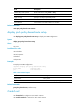
ipv6 policy-based-route policy-name [ deny | permit ] node node-number
undo ipv6 policy-based-route policy-name [ deny | node node-number | permit ]
Default
No IPv6 policy node is created.
Views
System view
Predefined user roles
network-admin
mdc-admin
Parameters
policy-name: Specifies a policy name, a case-sensitive string of 1 to 19 characters.
deny: Specifies the match mode for the policy node as deny.
permit: Specifies the match mode for the policy node as permit (default mode).
node node-number: Specifies the number of the IPv6 policy node. A smaller number has a higher priority.
The value range for the node-number argument is 0 to 255.
Usage guidelines
To remove an IPv6 policy that has already applied to an interface, you must remove the policy from the
interface first.
If a policy node is specified, the undo ipv6 policy-based-route command removes the specified policy
node. If a match mode is specified, the command removes all nodes configured with the match mode. If
no node is specified, the command removes the whole policy.
Examples
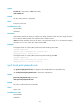
# Create permit-mode Node 10 for IPv6 policy aaa and enter IPv6 policy node view.
<Sysname> system-view
[Sysname] ipv6 policy-based-route aaa permit node 10
[Sysname-pbr6-aaa-10]