
R211x-HP Flexfabric 11900 Layer 3 - IP Routing Command Reference
559
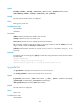
Predefined user roles
network-admin
mdc-admin
Parameters
mac-list-name: Specifies a MAC list by its name, a case-sensitive string of 1 to 63 characters. Without this
argument, the command clears statistics for all MAC lists.
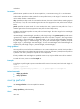
Examples
# Clear the statistics for MAC list abc.
<Sysname> reset mac-list abc
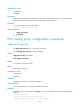
route-policy
Use route-policy to create a routing policy and a node, and enter routing policy node view.
Use undo route-policy to remove a routing policy or a node of it.
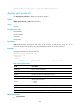
Syntax
route-policy route-policy-name { deny | permit } node node-number
undo route-policy route-policy-name [ deny | permit ] [ node node-number ]
Default
No routing policy is created.
Views
System view
Predefined user roles
network-admin
mdc-admin
Parameters
route-policy-name: Specifies a name for the routing policy, a case-sensitive string of 1 to 63 characters.
deny: Specifies the deny match mode for the routing policy node. If a route matches all the if-match
clauses of the node, it is denied without matching against the next node. If not, it matches against the
next node.
permit: Specifies the permit match mode for the routing policy node. If a route matches all the if-match
clauses of the node, it is handled by the apply clauses of the node. If not, it matches against the next
node.
node node-number: Specifies a number for the node, in the range of 0 to 65535. A node with a smaller
number is matched first.
Usage guidelines
Use a routing policy to filter routing information. A routing policy can contain several nodes and each
node comprises a set of if-match and apply clauses. The if-match clauses define the match criteria of the
node and the apply clauses define the actions to be taken on packets matching the criteria. The relation
between the if-match clauses of a node is logic AND: all the if-match clauses must be met. The relation
between nodes is logic OR: a packet passing a node passes the routing policy.