
R211x-HP Flexfabric 11900 Layer 3 - IP Routing Command Reference
560
Examples
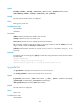
# Create node 10 in permit mode for routing policy policy1 and enter routing policy node view.
<Sysname> system-view
[Sysname] route-policy policy1 permit node 10
[Sysname-route-policy-policy1-10]
Related commands
display route-policy
IPv4 routing policy configuration commands
apply fast-reroute
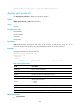
Use apply fast-reroute to set a backup link for fast route (FRR).
Use undo apply fast-reroute to remove the configuration.
Syntax
apply fast-reroute backup-interface interface-type interface-number [ backup-nexthop ip-address ]
undo apply fast-reroute
Default
No backup link for FRR is configured.
Views
Routing policy node view
Predefined user roles
network-admin
mdc-admin
Parameters
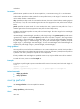
backup-interface interface-type interface-number: Specifies a backup output interface. If the specified
interface is a non-P2P interface (including NBMA and broadcast interfaces, such as an Ethernet interface
or a VLAN interface), you must also specify a backup next hop.
backup-nexthop ip-address: Specifies a backup next hop.
Usage guidelines
This command sets a backup link in the routing policy for FRR.
Using the routing policy, a routing protocol can designate a backup link for specific routes to implement
FRR. When the primary link fails, FRR immediately directs packets to the backup link to minimize
interruption time.
Examples
# Configure node 10 of routing policy policy1 to set the backup output interface VLAN-interface 1 and
backup next hop 193.1.1.8 for the route destined to 100.1.1.0/24.
<Sysname> system-view
[Sysname] ip prefix-list abc index 10 permit 100.1.1.0 24
[Sysname] route-policy policy1 permit node 10