
R211x-HP Flexfabric 11900 Layer 3 - IP Routing Configuration Guide

313
Ste
p
Command
Remarks
1. Enter system view.
system-view N/A
2. Enable RIPng and enter RIPng
view.
ripng [ process-id ] [ vpn-instance
vpn-instance-name ]
N/A
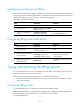
3. Enable the GR capability for
RIPng.
graceful-restart By default, RIPng GR is disabled.
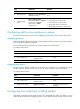
Displaying and maintaining RIPng
Execute display commands in any view and reset commands in user view.
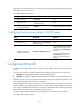
Task Command
Display configuration information of a RIPng
process.
display ripng [ process-id ]
Display routes in the RIPng database. display ripng process-id database [ ipv6-address prefix-length ]
Display the routing information of a specified
RIPng process.
display ripng process-id route [ ipv6-address prefix-length
[ verbose ] | peer ipv6-address | statistics ]
Display RIPng interface information.
display ripng process-id interface [ interface-type
interface-number ]
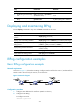
Reset a RIPng process. reset ripng process-id process
Clear statistics of a RIPng process. reset ripng process-id statistics
RIPng configuration examples
Basic RIPng configuration example
Network requirements
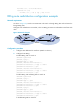
As shown in Figure 77, all switches run RIPng. Configure Switch B to filter the route 2::/64 learned from
Switch A and to forward only the route 4::/64 to Switch A.
Figure 77 Network diagram
Configuration procedure
1. Configure IPv6 addresses for interfaces. (Details not shown.)
2. Configure basic RIPng:
# Configure Switch A.
<SwitchA> system-view