
R211x-HP Flexfabric 11900 Layer 3 - IP Services Command Reference



114
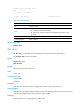
Use undo dns proxy enable to restore the default.
Syntax
dns proxy enable
undo dns proxy enable
Default
DNS proxy is disabled.
Views
System view
Predefined user roles
network-admin
mdc-admin
Usage guidelines
This configuration applies to both IPv4 DNS and IPv6 DNS.
Examples
# Enable DNS proxy.
<Sysname> system-view
[Sysname] dns proxy enable
dns server
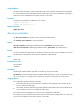
Use dns server to specify an IPv4 address of a DNS server.
Use undo dns server to remove the specified IPv4 address of a DNS server. If no IPv4 address is specified,
the undo dns server command removes all DNS server IPv4 addresses on the public network or the
specified VPN.
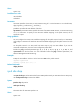
Syntax
dns server ip-address [ vpn-instance vpn-instance-name ]
undo dns server [ ip-address ] [ vpn-instance vpn-instance-name ]
Default
No DNS server is specified.
Views
System view
Predefined user roles
network-admin
mdc-admin
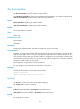
Parameters
ip-address: Specifies an IPv4 address of a DNS server.
vpn-instance vpn-instance-name: Specifies an MPLS L3VPN instance by its name, a case-sensitive string
of 1 to 31 characters. To specify an IPv4 address on the public network, do not use this option.