
R211x-HP Flexfabric 11900 Layer 3 - IP Services Command Reference




160
Usage guidelines
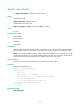
Set an appropriate MTU to avoid fragmentation. The MTU for the interface applies to only packets that
are sent to the CPU for forwarding by software, for example, the packets that are sourced from or
destined to the interface.
When a packet exceeds the MTU of the output interface, the device processes it in one of the following
ways:
• If the packet disallows fragmentation, the device discards it.
• If the packet allows fragmentation, the device fragments it and forwards the fragments.
Fragmentation and reassembling consume system resources, so set an appropriate MTU for an interface
to avoid fragmentation.
If an interface supports both the mtu and ip mtu commands, the device fragments a packet based on the
MTU set by the ip mtu command.
Examples
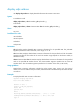
# Set the MTU of VLAN-interface 100 to 1280 bytes.
<Sysname> system-view
[Sysname] interface vlan-interface 100
[Sysname-Vlan-interface100] ip mtu 1280
ip redirects enable
Use ip redirects enable to enable sending ICMP redirect messages.
Use undo ip redirects enable to disable sending ICMP redirect messages.
Syntax
ip redirects enable
undo ip redirects enable
Default
Sending ICMP redirect messages is disabled.
Views
System view
Predefined user roles
network-admin
mdc-admin
Usage guidelines
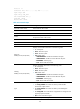
ICMP redirect messages simplify host management and enable hosts to gradually optimize its routing
table.
A host that has only one route destined to the default gateway sends all packets to the default gateway.
The default gateway sends an ICMP redirect message to inform the host of a correct next hop by
following these rules:
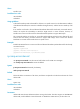
• The receiving and sending interfaces are the same.
• The selected route is not created or modified by any ICMP redirect message.
• The selected route is not destined for 0.0.0.0.