
R211x-HP Flexfabric 11900 Layer 3 - IP Services Command Reference



227
reset ipv6 neighbors
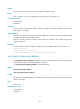
Use reset ipv6 neighbors to clear IPv6 neighbor information.
Syntax
In standalone mode:
reset ipv6 neighbors { all | dynamic | interface interface-type interface-number | slot slot-number |
static }
In IRF mode:
reset ipv6 neighbors { all | dynamic | interface interface-type interface-number | chassis
chassis-number slot slot-number | static }
Views
User view
Predefined user roles
network-admin
mdc-admin
Parameters
all: Clears static and dynamic neighbor information for all interfaces.
dynamic: Clears dynamic neighbor information for all interfaces.
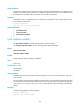
interface interface-type interface-number: Clears dynamic neighbor information for the interface
specified by its type and number.
slot slot-number: Clears dynamic neighbor information for the specified card. The slot-number argument
specifies the number of the slot that holds the card. (In standalone mode.)
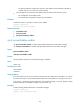
chassis chassis-number slot slot-number: Clears dynamic neighbor information for the specified card on
the specified IRF member device. The chassis-number argument specifies the ID of the IRF member device.
The slot-number argument specifies the number of the slot that holds the card. (In IRF mode.)
static: Clears static neighbor information for all interfaces.
Usage guidelines
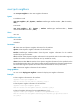
You can use the display ipv6 neighbors command to display IPv6 neighbor information.
Examples
# Clear neighbor information for all interfaces.
<Sysname> reset ipv6 neighbors all
This will delete all the entries. Continue? [Y/N]:Y
# Clear dynamic neighbor information for all interfaces.
<Sysname> reset ipv6 neighbors dynamic
This will delete all the dynamic entries. Continue? [Y/N]:Y
# Clear all neighbor information for Ten-GigabitEthernet 1/0/1.
<Sysname> reset ipv6 neighbors interface Ten-GigabitEthernet 1/0/1
This will delete all the dynamic entries by the interface you specified. Contin
ue? [Y/N]:Y