
R211x-HP Flexfabric 11900 MPLS Command Reference
104
Related commands
rsvp hello enable
hello interval
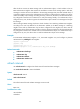
Use hello interval to configure the interval for sending hello requests.
Use undo hello interval to restore the default.
Syntax
hello interval interval
undo hello interval
Default
Hello request messages are sent at an interval of 5 seconds.
Views
RSVP view
Predefined user roles
network-admin
mdc-admin
Parameters
Interval: Specifies the interval at which RSVP sends hello requests, in the range of 1 to 60, in seconds.
Usage guidelines
If no hello request is received from a neighbor within the hello interval, the device sends a hello request
to the neighbor. If the device receives a hello request from a neighbor within the interval, it immediately
replies the neighbor with a hello ACK message.
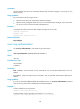
The hello interval command takes effect only on interfaces that have the RSVP hello extension function
enabled (by using the rsvp hello enable command).
Examples
# Set the interval for sending hello request messages to 10 seconds.
<Sysname> system-view
[Sysname] rsvp
[Sysname-rsvp] hello interval 10
Related commands
• hello lost
• rsvp hello enable
hello lost
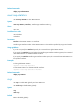
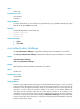
Use hello lost to configure the maximum number of consecutive lost or erroneous hellos.
Use undo hello lost to restore the default.
Syntax
hello lost times