
R211x-HP Flexfabric 11900 MPLS Command Reference
124
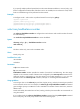
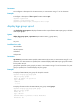
1. If the destination address of the preferred tunnel identifies a peer PE, the tunnel policy uses the
preferred tunnel to forward traffic destined for the peer PE without using any other tunnels.
2. If not, the tunnel policy selects tunnels as configured by the select-seq load-balance-number
command.
Examples
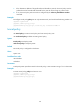
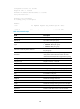
# Configure tunnel policy policy1 to use only LDP LSP tunnels, and set the load balancing number to 2.
<Sysname> system-view
[Sysname] tunnel-policy policy1
[Sysname-tunnel-policy-policy1] select-seq lsp load-balance-number 2
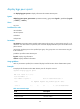
tunnel-policy
Use tunnel-policy to create a tunnel policy and enter tunnel policy view.
Use undo tunnel-policy to delete an existing tunnel policy.
Syntax
tunnel-policy tunnel-policy-name
undo tunnel-policy tunnel-policy-name
Default
No tunnel policy is configured on the device.
Views
System view
Predefined user roles
network-admin
mdc-admin
Parameters
tunnel-policy-name: Specifies a name for the tunnel policy, a case-insensitive string of 1 to 19 characters.
Examples
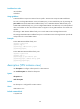
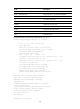
# Create tunnel policy policy1 and enter its view.
<Sysname> system-view
[Sysname] tunnel-policy policy1
[Sysname-tunnel-policy-policy1]