
R211x-HP Flexfabric 11900 MPLS Command Reference
154
Views
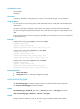
OSPF view
Predefined user roles
network-admin
mdc-admin
Parameters
domain-id type-code1: Specifies the type code for domain ID. Valid values are 0x0005, 0x0105,
0x0205, and 0x8005.
router-id type-code2: Specifies the type code for router ID. Valid values are 0x0107 and 0x8001.
router-type type-code3: Specifies the type code for route type. Valid values are 0x0306 and 0x8000.
Examples
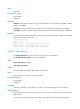
# Configure the type codes of domain ID, router ID, and route type as 0x8005, 0x8001, and 0x8000,
respectively, for OSPF process 100.
<Sysname> system-view
[Sysname] ospf 100
[Sysname-ospf-100] ext-community-type domain-id 8005
[Sysname-ospf-100] ext-community-type router-id 8001
[Sysname-ospf-100] ext-community-type route-type 8000
import route-policy
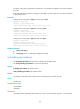
Use import route-policy to apply an import routing policy for a VPN instance.
Use undo import route-policy to remove the application.
Syntax
import route-policy route-policy
undo import route-policy
Default
All routes matching the import target attribute are accepted.
Views
VPN instance view, IPv4 VPN view, IPv6 VPN view
Predefined user roles
network-admin
mdc-admin
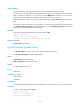
Parameters
route-policy: Specifies a routing policy by its name, a case-sensitive string of 1 to 63 characters.
Usage guidelines
You can specify an import routing policy to filter received routes or modify their route attributes for the
VPN instance.
An import routing policy specified in VPN instance view applies to both IPv4 VPN and IPv6 VPN.