
R211x-HP Flexfabric 11900 MPLS Command Reference
156
Usage guidelines
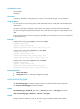
Use the command to associate the VPN instance with the interface connected to the CE.
This command or its undo form clears the IP address and routing protocol configuration on the interface.
After executing this command or its undo form, use the display this command to view the current
configuration and reconfigure the IP address and routing protocol on the interface.
The specified VPN instance must have been created by using the ip vpn-instance command in system
view.
To associate a new VPN instance with an interface, you must remove the previous association by using
the undo ip binding vpn-instance command and then use the ip binding vpn-instance command to
associate the new VPN instance with the interface.
Examples
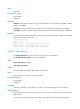
# Associate interface VLAN-interface 1 with VPN instance vpn1.
<Sysname> system-view
[Sysname] interface vlan-interface 1
[Sysname-Vlan-interface1] ip binding vpn-instance vpn1
Related commands
ip vpn-instance (system view)
ip vpn-instance (system view)
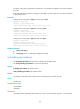
Use ip vpn-instance to create a VPN instance and enter VPN instance view.
Use undo ip vpn-instance to delete a VPN instance.
Syntax
ip vpn-instance vpn-instance-name
undo ip vpn-instance vpn-instance-name
Default
No VPN instance is created.
Views
System view
Predefined user roles
network-admin
mdc-admin
Parameters
vpn-instance-name: Specifies the name of the VPN instance, a case-sensitive string of 1 to 31 characters.
Examples
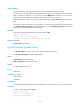
# Create a VPN instance named vpn1.
<Sysname> system-view
[Sysname] ip vpn-instance vpn1
[Sysname-vpn-instance-vpn1]