
R211x-HP Flexfabric 11900 MPLS Command Reference
226
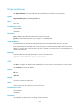
• Match incoming packets with any VLAN ID or no VLAN ID.
• Match incoming packets with a specific VLAN ID.
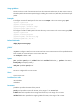
The match criteria for different service instances configured on an interface must be different.
You can create multiple service instances on an interface, but only one service instance can use the
default match criteria (encapsulation default) to match packets that do not match any other service
instance. If only one service instance using the default match criteria is configured on an interface, all
packets received on the interface can match the service instance.
Removing the match criteria for a service instance also removes the association between the
cross-connect and the service instance.
Examples
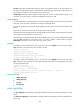
# Configure service instance 1 on Ten-GigabitEthernet 1/0/1 to match packets that have an outer VLAN
ID of 111 and an inner VLAN ID of 20 or from 30 to 40.
<Sysname> system-view
[Sysname] interface ten-gigabitethernet 1/0/1
[Sysname-Ten-GigabitEthernet1/0/1] service-instance 1
[Sysname-Ten-GigabitEthernet1/0/1-srv1] encapsulation s-vid 111
Related commands
display l2vpn service-instance
l2vpn enable
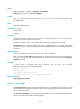
Use l2vpn enable to enable L2VPN.
Use undo l2vpn enable to disable L2VPN.
Syntax
l2vpn enable
undo l2vpn enable
Default
L2VPN is disabled.
Views
System view
Predefined user roles
network-admin
mdc-admin
Usage guidelines
You must enable L2VPN before configuring other L2VPN settings.
Examples
# Enable L2VPN.
<Sysname> system-view
[Sysname] l2vpn enable