
R211x-HP Flexfabric 11900 MPLS Command Reference

244
VPLS commands
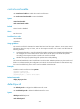
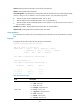
address-family l2vpn
Use address-family l2vpn to create and enter BGP L2VPN address family view.
Use undo address-family l2vpn to delete all settings from BGP L2VPN address family view.
Syntax
address-family l2vpn
undo address-family l2vpn
Default
The BGP L2VPN address family view is not created.
Views
BGP view
Predefined user roles
network-admin
mdc-admin
Usage guidelines
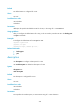
To establish a BGP PW to a remote PE, you must execute the peer enable command in BGP L2VPN
address family view to enable the remote PE.
Examples
# Create and enter BGP L2VPN address family view.
<Sysname> system-view
[Sysname] bgp 100
[Sysname-bgp] address-family l2vpn
[Sysname-bgp-l2vpn]
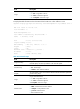
auto-discovery
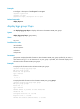
Use auto-discovery to enable a VSI to automatically discover neighbors through BGP and enter
auto-discovery VSI view.
Use undo auto-discovery to disable BGP auto-discovery for a VSI.
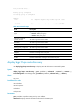
Syntax
auto-discovery bgp
undo auto-discovery
Default
A VSI does not use BGP to automatically discover neighbors.