
R211x-HP Flexfabric 11900 MPLS Command Reference
245
Views
VSI view
Predefined user roles
network-admin
mdc-admin
Parameters
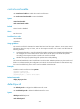
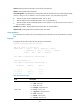
bgp: Enables the VSI to automatically discover neighbors through BGP.
Usage guidelines
In auto-discovery VSI view, you can configure parameters such as the local site, VPLS ID, and route
targets for BGP, so the local PE can use BGP to discover remote PEs.
You can use the signaling-protocol command to specify the signaling protocol, LDP or BGP, to establish
PWs to the remote PEs found by BGP.
Examples
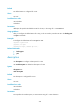
# Enable the VSI aaa to automatically discover neighbors through BGP and enter auto-discovery VSI
view.
<Sysname> system-view
[Sysname] vsi aaa
[Sysname-vsi-aaa] auto-discovery bgp
[Sysname-vsi-aaa-auto]
Related commands
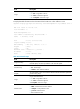
• display l2vpn pw
• display l2vpn vsi
backup-peer
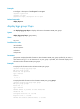
Use backup-peer to configure a backup PW for VPLS and enter VSI LDP backup PW view or VSI static
backup PW view. If the specified backup PW already exists, this command opens VSI LDP backup PW
view or VSI static backup PW view.
Use undo backup-peer to delete a backup PW for VPLS.
Syntax
VSI LDP PW view:
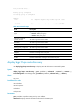
backup-peer ip-address [ pw-id pw-id ] [ pw-class class-name | tunnel-policy tunnel-policy-name ] *
undo backup-peer ip-address pw-id pw-id
VSI static PW view:
backup-peer ip-address [ pw-id pw-id ] in-label label-value out-label label-value [ pw-class class-name
| tunnel-policy tunnel-policy-name ] *
undo backup-peer ip-address pw-id pw-id
Default
No backup PW is configured for VPLS.