
R211x-HP Flexfabric 11900 MPLS Command Reference
292
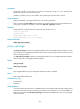
import: Soft-resets all inbound L2VPN BGP sessions.
Usage guidelines
A soft-reset operation enables BGP to update BGP L2VPN information without tearing down BGP
connections.
To apply a new policy to outbound BGP sessions, execute this command with the export keyword. BGP
uses the new policy to filter local L2VPN information and sends the L2VPN information that passes the
filtering to the BGP peer.
To apply a new policy to inbound sessions, execute this command with the import keyword. BGP
advertises a route-refresh message to the peer and the peer resends its L2VPN information. After
receiving the L2VPN information, BGP uses the new policy to filter the L2VPN information.
This command requires that both the local router and the peer support route refresh.
Examples
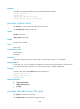
# Soft-reset all inbound L2VPN BGP sessions.
<Sysname> refresh bgp all import l2vpn
reset bgp l2vpn
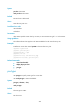
Use reset bgp l2vpn to reset L2VPN BGP sessions.
Syntax
reset bgp { as-number | ip-address | all | external | group group-name | internal } l2vpn
Views
User view
Predefined user roles
network-admin
mdc-admin
Parameters
as-number: Resets L2VPN BGP sessions to the peers in the AS specified by its number in the range of 1
to 4294967295.
ip-address: Resets the L2VPN BGP session to the specified peer.
all: Resets all L2VPN BGP sessions.
external: Resets all L2VPN EBGP sessions.
group group-name: Resets L2VPN BGP sessions to the peers in the peer group specified by its name, a
case-sensitive string of 1 to 47 characters.
internal: Resets all L2VPN IBGP sessions.
Usage guidelines
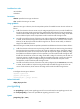
A reset operation enables BGP to update L2VPN information by reestablishing BGP sessions, which
results in a short-time BGP session interruption.
Examples
# Reset all L2VPN BGP sessions.
<Sysname> reset bgp all l2vpn