
R211x-HP Flexfabric 11900 MPLS Command Reference


300
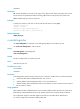
Default
No VPLS ID is specified for a VSI.
Views
Auto-discovery VSI LDP signaling view
Predefined user roles
network-admin
mdc-admin
Parameters
vpls-id: Specifies a VPLS ID, a string of 3 to 21 characters. You can specify a VPLS ID in one of the
following formats:
• 16 - bit AS numbe r :32-bit user-defined number, such as 101:3.
• 32-bit IP address:16-bit user-defined number, such as 192.168.122.15:1.
• 32-bit AS number:16-bit user-defined number, such as 65536:1. In this format, the minimum value of
the AS number is 65536.
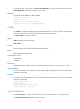
Usage guidelines
A VPLS ID uniquely identifies a VPLS instance. Two PEs must have the same VPLS ID to establish a PW.
VPLS IDs are used in the scenario where BGP is used to find remote PEs and FEC 129 LDP is used to
establish PWs to the remote PEs.
The local PE advertises a BGP update that includes the configured VPLS ID as an extended community
attribute to the remote PE. The remote PE compares the received VPLS ID with its own VPLS ID. If the two
VPLS IDs are identical, the two PEs use FEC 129 LDP to establish a PW. If not, the PEs do not establish a
PW.
You cannot execute the vpls-id command to modify an existing VPLS ID. To modify it, you must execute
the undo vpls-id command to remove the VPLS ID, and use the vpls-id command to configure a new VPLS
ID.
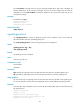
Examples
# Configure the VPLS ID 100:1 for the VSI aaa.
<Sysname> system-view
[Sysname] vsi aaa
[Sysname-vsi-aaa] auto-discovery bgp
[Sysname-vsi-aaa-auto] signaling-protocol ldp
[Sysname-vsi-aaa-auto-ldp] vpls-id 100:1
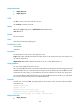
Related commands
• display l2vpn pw
• display l2vpn vsi
vpn-target
Use vpn-target to configure route targets for an auto-discovery VSI.
Use undo vpn-target to remove route targets for an auto-discovery VSI.