
R211x-HP Flexfabric 11900 MPLS Command Reference



62
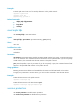
Syntax
mpls te backup { hot-standby | ordinary }
undo mpls te backup
Default
Tunnel backup is disabled.
Views
Tunnel interface view
Predefined user roles
network-admin
mdc-admin
Parameters
hot-standby: Enables hot backup for the tunnel. In this mode, a backup CRLSP is established immediately
after the primary CRLSP is established. When the primary CRLSP fails, MPLS TE immediately switches
traffic to the backup CRLSP.
ordinary: Enables ordinary backup for the tunnel. In this mode, a backup CRLSP is established after the
primary CRLSP fails.
Usage guidelines
When backup is enabled for a tunnel, the record route flag is automatically set for the tunnel, regardless
of whether the mpls te record-route command is configured.
In the same tunnel interface view, the mpls te backup command cannot be used together with the mpls
te resv-style ff command.
Examples
# Enable hot backup for tunnel 0.
<Sysname> system-view
[Sysname] interface tunnel 0 mode mpls-te
[Sysname-Tunnel0] mpls te backup hot-standby
Related commands
mpls te backup-path
mpls te bidirectional
Use mpls te bidirectional to enable the bidirectional tunnel function on an MPLS TE tunnel interface.
Use undo mpls te bidirectional to restore the default.
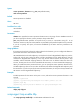
Syntax
mpls te bidirectional { associated reverse-lsp { lsp-name lsp-name | lsr-id ingress-lsr-id tunnel-id
tunnel-id } | co-routed { active | passive reverse-lsp lsr-id ingress-lsr-id tunnel-id tunnel-id } }
undo mpls te bidirectional
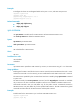
Default
The bidirectional tunnel function is disabled on an MPLS TE tunnel interface, and a tunnel established on
an MPLS TE tunnel interface is a unidirectional MPLS TE tunnel.