
R211x-HP Flexfabric 11900 MPLS Configuration Guide


218
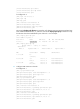
[P-Vlan-interface12] mpls enable
[P-Vlan0interface12] mpls ldp enable
[P-Vlan-interface12] quit
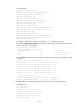
# Configure PE 2.
[PE2] mpls lsr-id 3.3.3.9
[PE2] mpls ldp
[PE2-ldp] quit
[PE2] interface vlan-interface 12
[PE2-Vlan-interface12] mpls enable
[PE2-Vlan-interface12] mpls ldp enable
[PE2-Vlan-interface12] quit
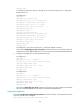
# Execute the display mpls ldp peer command to verify that LDP sessions in Operational state have
been established between PE 1, P, and PE 2. Execute the display mpls ldp lsp command to verify
that the LSPs have been established by LDP. Take PE 1 as an example:
[PE1] display mpls ldp peer
Total number of peers: 1
Peer LDP ID State LAM Role GR MD5 KA Sent/Rcvd
2.2.2.9:0 Operational DU Passive Off Off 5/5
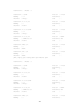
[PE1] display mpls ldp lsp
Status codes: * - stale, L - liberal
Statistics:
FECs: 3 Ingress LSPs: 2 Transit LSPs: 2 Egress LSPs: 1
FEC In/Out Label Nexthop OutInterface
1.1.1.9/32 3/-
-/1151(L)
2.2.2.9/32 -/3 172.1.1.2 Vlan-interface13
1151/3 172.1.1.2 Vlan-interface13
3.3.3.9/32 -/1150 172.1.1.2 Vlan-interface13
1150/1150 172.1.1.2 Vlan-interface13
3. Configure VPN instances on the PEs:
# Configure PE 1.
[PE1] ip vpn-instance vpn1
[PE1-vpn-instance-vpn1] route-distinguisher 100:1
[PE1-vpn-instance-vpn1] vpn-target 111:1
[PE1-vpn-instance-vpn1] quit
[PE1] ip vpn-instance vpn2
[PE1-vpn-instance-vpn2] route-distinguisher 100:2
[PE1-vpn-instance-vpn2] vpn-target 222:2
[PE1-vpn-instance-vpn2] quit
[PE1] interface vlan-interface 11
[PE1-Vlan-interface11] ip binding vpn-instance vpn1
[PE1-Vlan-interface11] ipv6 address 2001:1::2 96
[PE1-Vlan-interface11] quit
[PE1] interface vlan-interface 12
[PE1-Vlan-interface12] ip binding vpn-instance vpn2
[PE1-Vlan-interface12] ipv6 address 2001:2::2 96
[PE1-Vlan-interface12] quit