
R211x-HP Flexfabric 11900 MPLS Configuration Guide


227
Configuring IPv6 MPLS L3VPN inter-AS option C
Network requirements
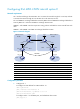
Site 1 and Site 2 belong to the same VPN. Site 1 accesses the network through PE 1 in AS 100, and Site
2 accesses the network through PE 2 in AS 600. PEs in the same AS run IS-IS.
PE 1 and ASBR-PE 1 exchange labeled IPv4 routes by IBGP. PE 2 and ASBR-PE 2 exchange labeled IPv4
routes by IBGP. PE 1 and PE 2 use EBGP to exchange VPNv6 routes.
ASBR-PE 1 and ASBR-PE 2 use their respective routing policies and label the routes received from each
other.
ASBR-PE 1 and ASBR-PE 2 use EBGP to exchange labeled IPv4 routes.
Figure 61 Network diagram
Device Interface IP address
Device
Interface IP address
PE 1 Loop0 2.2.2.9/32
PE 2
Loop0 5.5.5.9/32
Vlan-int11 1.1.1.2/8 Vlan-int11 9.1.1.2/8
Vlan-int12 2001::1/64
Vlan-int12 2002::1/64
A
SBR-PE 1 Loop0 3.3.3.9/32
A
SBR-PE 2
Loop0 4.4.4.9/32
Vlan-int11 1.1.1.1/8 Vlan-int11 9.1.1.1/8
Vlan-int12 11.0.0.2/8
Vlan-int12 11.0.0.1/8
CE 1 Vlan-int12 2001::2/64
CE 2
Vlan-int12 2002::2/64
Configuration procedure
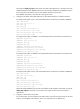
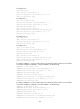
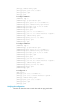
1. Configure CE 1:
# Configure an IPv6 address for VLAN-interface 12.
<CE1> system-view
[CE1] interface vlan-interface 12
[CE1-Vlan-interface12] ip address 2001::2 64
[CE1-Vlan-interface12] quit
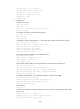
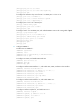
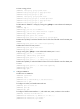
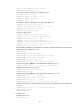
# Configure 2001::1 as an EBGP peer, and redistribute direct routes.
[CE1] bgp 65001
PE 1
MPLS backbone
MPLS backbone
ASBR-PE 1 ASBR-PE 2
Vlan-int11
Vlan-int11
Vlan-int11
Loop0
Loop0
Loop0
Loop0
PE 2
Site 1
Site 2
MP-EBGP
AS 100 AS 600
Vlan-int12
Vlan-int12
Vlan-int11
CE 1 CE 2
Site 1 Site 2
Vlan-int12
Vlan-int12
Vlan-int12
Vlan-int12