
R211x-HP Flexfabric 11900 Network Management and Monitoring Command Reference
103
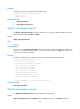
Examples
# Display the trap queue configuration and usage status.
<Sysname> display snmp-agent trap queue
Queue size: 100
Message number: 6
Related commands
• snmp-agent trap life
• snmp-agent trap queue-size
display snmp-agent trap-list
Use display snmp-agent trap-list to display modules that can generate SNMP notifications and their
notification function status (enable or disable).
Syntax
display snmp-agent trap-list
Views
Any view
Usage guidelines
You can use the snmp-agent trap enable command to enable or disable the notification function of a
module. For a module that has sub-modules, the notification function status is enable if the trap function
of any of its sub-modules is enabled.
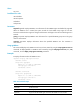
Examples
# Display the modules that can generate notification and their notification function status.
<Sysname> display snmp-agent trap-list
arp notification is disabled.
configuration notification is enabled.
l3vpn notification is enabled.
ldp notification is enabled.
mpls notification is enabled.
ospf notification is enabled.
radius notification is disabled.
standard notification is enabled.
system notification is enabled.
Enabled notifications: 7; Disabled notifications: 2
Related commands
snmp-agent trap enable
display snmp-agent usm-user
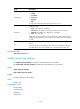
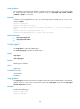
Use display snmp-agent usm-user to display SNMPv3 user information.
Syntax
display snmp-agent usm-user [ engineid engineid | group group-name | username user-name ] *