
R211x-HP Flexfabric 11900 Network Management and Monitoring Command Reference


131
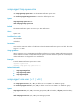
permitted in the ACL can use the specified username to access the SNMP agent. If no ACL is specified,
the specified ACL does not exist, or the specified ACL does not have any rules, any NMS can use the
specified username to access the SNMP agent.
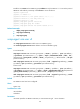
acl ipv6 ipv6-acl-number: Specifies a basic IPv6 ACL to filter NMSs by source IPv6 address. The
ipv6-acl-number argument represents an ACL number in the range of 2000 to 2999. Only NMSs with an
IPv6 address permitted in the IPv6 ACL can use the specified username to access the SNMP agent. If no
ACL is specified, the specified ACL does not exist, or the specified ACL does not have any rules, any NMS
can use the specified username to access the SNMP agent.
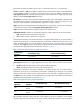
local: Specifies the local SNMP engine.
engineid engineid-string: Specifies an SNMP engine. The engineid-string argument represents the
engine ID and must comprise an even number of hexadecimal characters, in the range of 10 to 64.
All-zero and all-F strings are invalid.
Usage guidelines
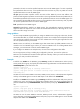
You must create an SNMPv3 group before you assign an SNMPv3 user to the group. Otherwise, the user
cannot take effect after it is created. An SNMP group contains one or multiple users and specifies the MIB
views and security model for the group of users. The authentication and encryption algorithms for each
user are specified when they are created.
SNMPv3 users are valid only on the SNMP engine that creates them. By default, SNMPv3 users are
created on the local SNMP engine. When you create an SNMPv3 user for sending SNMP inform
messages, you must associate it with the remote SNMP engine.
If you configure an SNMPv3 user multiple times, the most recent configuration takes effect.
For security purposes, all keys, including keys configured in plain text, are saved in cipher text.
Make sure you remember the username and the plain text of the keys. When you access the device from
an NMS, you must provide this information.
Examples
# Add the user testUser to the SNMPv3 group testGroup, enable the authentication without privacy
security model for the group, and specify the authentication algorithm SHA-1 and the authentication key
123456TESTplat&! in plain text for the user.
<Sysname> system-view
[Sysname] snmp-agent group v3 testGroup authentication
[Sysname] snmp-agent usm-user v3 testUser testGroup simple authentication-mode sha
123456TESTplat&!
An NMS can use the same SNMPv3 username, SNMP protocol version, and authentication algorithm
and key as the SNMP agent to access the MIB objects in the default view ViewDefault.
# Add the user testUser to the SNMPv3 group testGroup, enable the authentication and privacy security
model for the group, and specify the authentication algorithm SHA-1, the privacy algorithm AES, the
plaintext authentication key 123456 T ES Ta ut h& !, and the plaintext privacy key 123 456 TESTe n cr &! for the
user.
<Sysname> system-view
[Sysname] snmp-agent group v3 testGroup privacy
[Sysname] snmp-agent usm-user v3 testUser testGroup simple authentication-mode sha
123456TESTauth&! privacy-mode aes128 123456TESTencr&!
An NMS can use the same SNMPv3 username, SNMP protocol version, authentication algorithm,
privacy algorithm, and plaintext authentication and privacy keys as the SNMP agent to access the MIB
objects in the default view ViewDefault.