
R211x-HP Flexfabric 11900 Network Management and Monitoring Command Reference
201
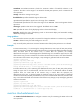
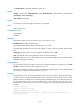
[Sysname-nqa-admin-test-udp-jitter] reaction 1 checked-element packet-loss
threshold-type accumulate 100 action-type trap-only
reaction checked-element probe-duration
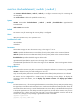
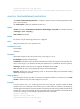
Use reaction checked-element probe-duration to configure a reaction entry for monitoring the probe
duration.
Use undo reaction to delete the specified reaction entry.
Syntax
reaction item-number checked-element probe-duration threshold-type { accumulate
accumulate-occurrences | average | consecutive consecutive-occurrences } threshold-value
upper-threshold lower-threshold [ action-type { none | trap-only } ]
undo reaction item-number
Default
No reaction entry for monitoring the probe duration is configured.
Views
DHCP operation view, DLSw operation view, DNS operation view, FTP operation view, HTTP operation
view, ICMP echo operation view, SNMP operation view, TCP operation view, UDP echo operation view,
Predefined user roles
network-admin
mdc-admin
Parameters
item-number: Assigns an ID to the reaction entry, in the range of 1 to 10.
threshold-type: Specifies a threshold type.
accumulate accumulate-occurrences: Checks the maximum number of threshold violations. The value is
in the range of 1 to 15.
average: Checks the average probe duration.
consecutive consecutive-occurrences: Specifies the number of consecutive threshold violations after the
NQA operation starts. The value is in the range of 1 to 16.
threshold-value: Specifies threshold range in milliseconds.
upper-threshold: Specifies the upper limit in the range of 0 to 3600000.
lower-threshold: Specifies the lower limit in the range of 0 to 3600000. It must not be greater than the
upper threshold.
action-type: Specifies what action to be triggered. The default action is none.
none: Specifies the action of only displaying results on the terminal display.
trap-only: Specifies the action of displaying results on the terminal display and meanwhile sending
SNMP trap messages to the NMS. This keyword is not available for the DNS operation.
Usage guidelines
You cannot edit a reaction entry after it is created. To change the attributes in a reaction entry, use undo
reaction to delete the entry first and reconfigure a new one.