
R211x-HP Flexfabric 11900 Network Management and Monitoring Command Reference
223
Syntax
nqa server enable
undo nqa server enable
Default
The NQA server is disabled.
Views
System view
Predefined user roles
network-admin
mdc-admin
Examples
# Enable the NQA server.
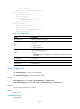
<Sysname> system-view
[Sysname] nqa server enable
Related commands
• display nqa server
• nqa server tcp-connect
• nqa server udp-echo
Related commands
• display nqa server
• nqa server enable
nqa server tcp-connect
Use nqa server tcp-connect to configure a TCP listening service to enable the NQA server to listen and
respond to the specified IP address and port.
Use undo nqa server tcp-connect to remove a TCP listening service.
Syntax
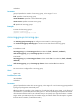
nqa server tcp-connect ip-address port-number [ tos tos ] [ vpn-instance vpn-instance-name ]
undo nqa server tcp-connect ip-address port-number
Views
System view
Predefined user roles
network-admin
mdc-admin
Parameters
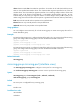
ip-address: Specifies the IP address for the TCP listening service.
port-number: Specifies the port number for the TCP listening service, in the range of 1 to 65535.