
R211x-HP Flexfabric 11900 Network Management and Monitoring Command Reference
246
Predefined user roles
network-admin
mdc-admin
Parameters
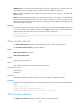
determine: Specifies the fixed sampling mode. For example, if the flow sampling interval is set to 4000
(by using the sflow sampling-rate command), the device randomly samples a packet, like the tenth
packet, from the first 4000 packets. The next time the device samples the 4010th packet, and so on. The
switch does not support the determine mode.
random: Specifies the random sampling mode. For example, if the packet sampling interval is set to
4000, the device might sample one packet from the first 4000 packets, multiple packets from the next
4000 packets, and none from the third 4000 packets, randomly. But generally the device samples one
packet from 4000 packets on the average.
Examples
# Specify fixed flow sampling mode on Ten-GigabitEthernet 1/0/1.
<Sysname> system-view
[Sysname] interface ten-gigabitethernet 1/0/1
[Sysname-Ten-GigabitEthernet1/0/1] sflow sampling-mode determine
Related commands
sflow sampling-rate
sflow sampling-rate
Use sflow sampling-rate to enable flow sampling and specify the number of packets out of which flow
sampling will sample a packet on an interface.
Use undo sflow sampling-rate to disable flow sampling.
Syntax
sflow sampling-rate rate
undo sflow sampling-rate
Default
Flow sampling samples no packet.
Views
Layer 2 Ethernet interface view, Layer 3 Ethernet interface view
Predefined user roles
network-admin
mdc-admin
Parameters
rate: Specifies the number of packets out of which flow sampling will sample a packet on the interface.
The value range for this argument is 1000 to 500000.
Examples
# Enable flow sampling to sample a packet out of 4000 packets on Ten-GigabitEthernet 1/0/1.