
R211x-HP Flexfabric 11900 Network Management and Monitoring Command Reference

249
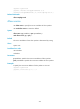
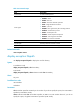
Table 51 Command output
Field Descri
p
tion
Sampler name Name of the sampler.
Mode Sampling mode. Fixed indicates the fixed mode.
Packet-interval Sampling rate.
sampler
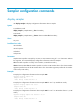
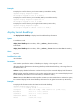
Use sampler to create a sampler.
Use undo sampler to delete a sampler.
Syntax
sampler sampler-name mode fixed packet-interval rate
undo sampler sampler-name
Default
No sampler exists.
Views
System view
Predefined user roles
network-admin
mdc-admin
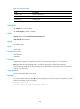
Parameters
sampler-name: Specifies a sampler by its name, a case-insensitive string of 1 to 31 characters.
fixed: Specifies the fixed sampling mode, in which the first packet is selected per sampling.
rate: Specifies the sampling rate. The sampling rate is calculated by using the formula 2 to the nth power,
where n is the rate value.
Usage guidelines
This command takes effect on all cards.
Examples
# Create a sampler with the name abc. Set the sampling rate to 8, which means one packet out of 256
packets (2 to the 8th power) is sampled.
<Sysname> system-view
[Sysname] sampler abc mode fixed packet-interval 8