
R211x-HP Flexfabric 11900 Network Management and Monitoring Command Reference
277
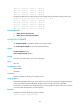
0xb7e30140 0xb7e30150 0xb7e30160 0xb7e30170
0xb7e30180 0xb7e30190 0xb7e301a0 0xb7e301b0
0xb7e301c0 0xb7e301d0 0xb7e301e0 0xb7e301f0
0xb7e30200 0xb7e30210 0xb7e30220 0xb7e30230
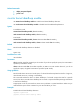
# Display the addresses of 16-byte memory blocks starting from the fifth block used by process job 1.
<Sysname> display process memory heap job 1 size 16 offset 4
0xb7e30100 0xb7e30110 0xb7e30120 0xb7e30130
0xb7e30140 0xb7e30150 0xb7e30160 0xb7e30170
0xb7e30180 0xb7e30190 0xb7e301a0 0xb7e301b0
0xb7e301c0 0xb7e301d0 0xb7e301e0 0xb7e301f0
0xb7e30200 0xb7e30210 0xb7e30220 0xb7e30230
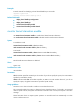
Related commands
• display process memory heap
• display process memory heap address
exception filepath
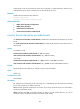
Use exception filepath to specify the directory for saving core files.
Use undo exception filepath to remove the specified directory.
Syntax
exception filepath directory
undo exception filepath directory
Default
Core files are saved in flash:/core on the active MPU.
Views
User view
Predefined user roles
network-admin
mdc-admin
Parameters
directory: Specifies the directory for saving core files.
Usage guidelines
Each MPU has a default directory to store core files. You can use this command to change the directory
on the active MPU and the standby MPU. The device saves core files only to the active MPU.
If no directory is specified or the specified directory is not accessible, the system cannot store core files
or record context information for process exceptions.
Examples
# Specify the directory for saving core files as flash:/.
<Sysname> exception filepath flash:/