
R211x-HP Flexfabric 11900 Network Management and Monitoring Command Reference
27
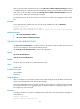
After you specify an NTP authentication key, use the ntp-service reliable authentication-keyid command
to configure the key as a trusted key. The key automatically changes to untrusted after you delete the key.
In this case, you do not need to execute the undo ntp-service reliable authentication-keyid command.
You can set up to 128 keys by executing the command.
The authentication key, set in either plain text or cipher text, is saved to the configuration file in cipher
text.
Examples
# Set a plaintext MD5 authentication key, with the key ID of 10 and key value of BetterKey.
<Sysname> system-view
[Sysname] ntp-service authentication enable
[Sysname] ntp-service authentication-keyid 10 authentication-mode md5 simple BetterKey
Related commands
• ntp-service authentication enable
• ntp-service reliable authentication-keyid
ntp-service broadcast-client
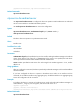
Use ntp-service broadcast-client to configure the device to operate in NTP broadcast client mode and
use the current interface to receive NTP broadcast packets.
Use undo ntp-service broadcast-client to remove the configuration.
Syntax
ntp-service broadcast-client
undo ntp-service broadcast-client
Default
The device does not operate in any NTP association mode.
Views
Interface view
Predefined user roles
network-admin
mdc-admin
Usage guidelines
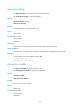
After you configure this command, the device listens to NTP messages sent by the NTP broadcast server
and is synchronized based on the received NTP messages.
If you have configured the device to operate in broadcast client mode on an interface with this command,
do not add the interface to any aggregate group. To add the interface to an aggregate group, remove
the configuration of the command.
Examples
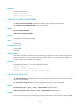
# Configure the device to operate in broadcast client mode and receive NTP broadcast messages on
VLAN-interface 1.
<Sysname> system-view
[Sysname] interface vlan-interface 1