
R211x-HP Flexfabric 11900 Network Management and Monitoring Command Reference
69
Related commands
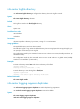
• display logbuffer
• info-center enable
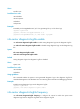
info-center logfile enable
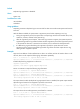
Use info-center logfile enable to enable the log file feature.
Use undo info-center logfile enable to disable the log file feature.
Syntax
info-center logfile enable
undo info-center logfile enable
Default
The log file feature is enabled.
Views
System view
Predefined user roles
network-admin
mdc-admin
Examples
# Enable the output of logs to a log file.
<Sysname> system-view
[Sysname] info-center logfile enable
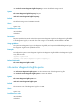
info-center logfile frequency
Use info-center logfile frequency to configure the interval for saving logs to the log file.
Use undo info-center logfile frequency to restore the default saving interval.
Syntax
info-center logfile frequency freq-sec
undo info-center logfile frequency
Default
The default saving interval is 86400 seconds.
Views
System view
Predefined user roles
network-admin
mdc-admin